
We’ve all been there. You spend weeks, maybe months, landing that perfect backlink. You check the page, see your brand name in blue, click it to make sure it works, and then close the tab. Job well done, right?
Not necessarily.
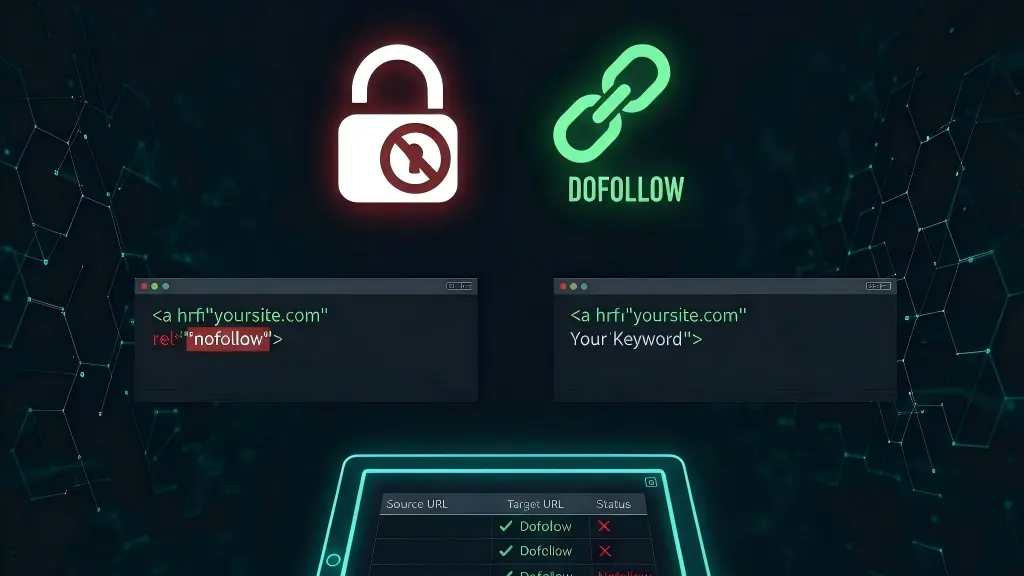
There is a frustrating trend happening in the SEO world right now that I call the “Silent Switch.” It’s a move used by shady webmasters and lazy link vendors to have their cake and eat it too.
They take your money for a guest post, keep the link live so you don’t complain, but then, a few weeks later, they quietly add a tiny piece of code: rel= “nofollow”.
To the naked eye, the link looks identical. But to Google, that link just became a “ghost.”
The Problem: Why “Looks Live” Isn’t Enough
When I first started building links, I thought a link was a link. If I could click it and land on my site, I assumed the SEO “juice” was flowing.
I was wrong.
Google treats a link with a nofollow tag very differently. It’s essentially the webmaster saying to Google, “I’m linking to this person, but I don’t want to vouch for their authority.” If you paid for a link to improve your rankings, a nofollow tag makes that investment almost worthless.
The worst part? You’ll never know it happened unless you’re staring at the raw HTML code of every single backlink you own. And let’s be honest: nobody has time for that.
How I Used to Get Cheated
I used to audit my links manually. I’d open my spreadsheet, click the URL, right-click the link, and hit “Inspect.” I’d scan the messy lines of code looking for that dreaded word: nofollow.
It was fine when I had five links. But once I started managing 50 or 100 links for a client, I realized I was spending hours doing “detective work” instead of actual SEO. Plus, I’d miss things. My eyes would glaze over, and I’d skip right past a rel= “sponsored” or rel= “ugc” tag that was stripping away my SEO value.
The Solution: Automating the “Integrity Check”
I eventually realized that if I wanted to scale, I had to stop acting like a manual laborer and start acting like a manager. I needed a way to “interrogate” my links in bulk.
This is why I started using MyLinkStatus. Instead of visiting 100 pages, I just paste my list of URLs into the dashboard. Within seconds, the tool does exactly what I used to do manually, but without the human error.

It doesn’t just tell me the link is “there.” It tells me the Dofollow Status of that link.
- Yes: I’m getting the authority I paid for.
- No: I’ve been “silently switched.”
- Missing: The webmaster deleted the link entirely.
What to Do When You Catch a “Sneaky” Switch
So, what happens when your bulk report flags a link as nofollow? Don’t panic, and don’t get aggressive. Most of the time, I use a simple “Benefit of the Doubt” email. It looks like this:
“Hi [Name], I was just running a routine technical audit of our recent guest post on [Site Name] and noticed the link attribute was accidentally set to ‘nofollow.’ Since our agreement was for a standard editorial link, could you check if that was a template error? I’d appreciate it if you could update that to a standard dofollow link!”
9 times out of 10, they fix it because they realize you are actually monitoring your assets. They can’t pull a fast one on someone who has the data.
The Bottom Line: Trust, But Verify
Link building is too expensive and too difficult to leave to chance. If you aren’t verifying the HTML attributes of your links in bulk, you are almost certainly losing SEO value without knowing it.
Stop squinting at source code. Use a bulk verifier, get your report in 60 seconds, and spend the rest of your day actually growing your traffic.